Free
$0
Up to 10 draft orders a month
- Upload from CSV, Excel or pasted SKUs
- SKU checks
- B2B companies and payment terms
- Live preview
- Resume an unfinished upload
- Settings and history

Spreadsheet in. Draft order out.
Create B2B and customer draft orders from a spreadsheet of SKUs, without typing each line by hand.
Free for up to 10 draft orders a month.
Three steps, all inside your Shopify admin.
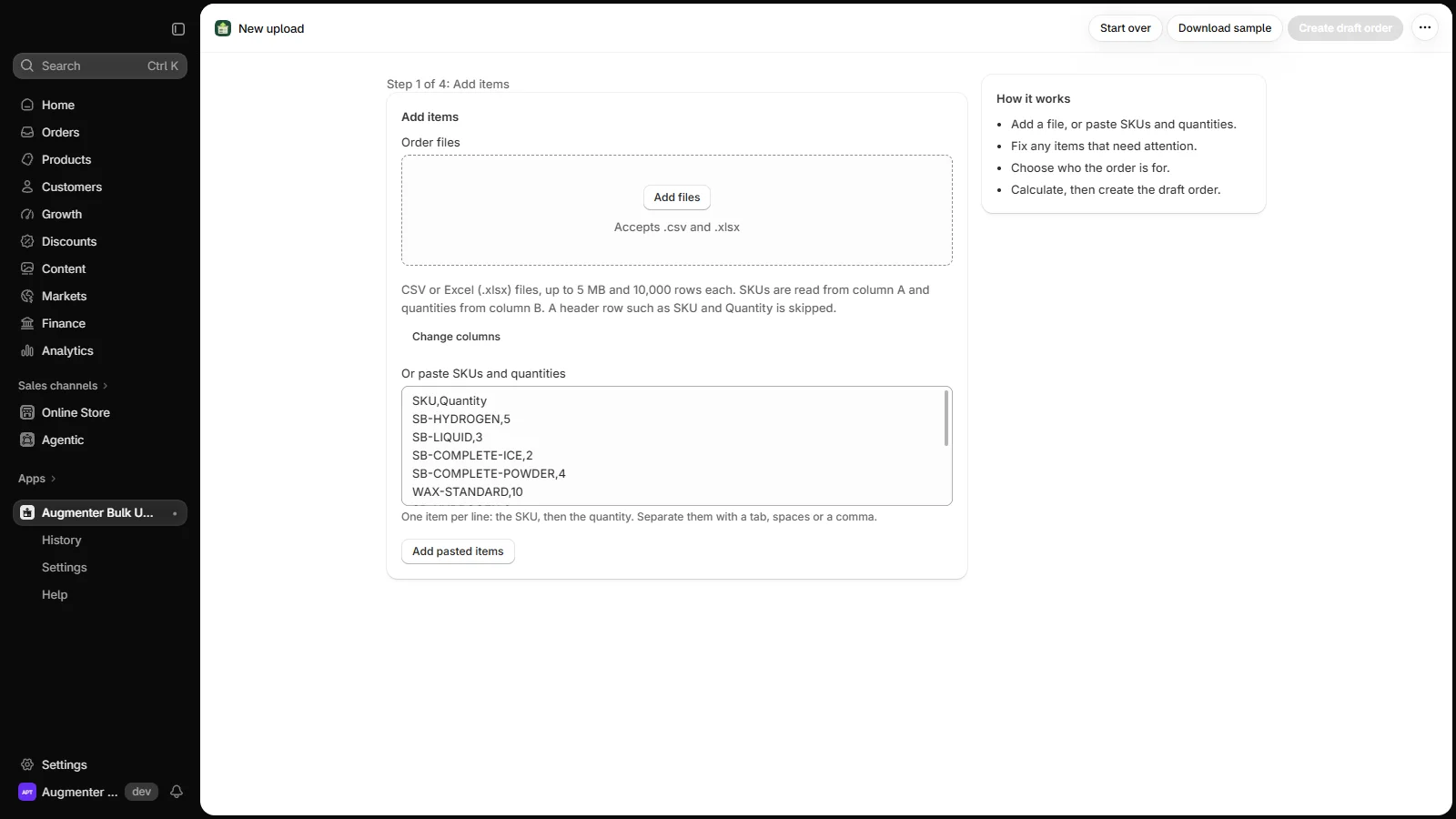
Upload a CSV or Excel (.xlsx) file, or paste SKUs and quantities. Files are read in your browser, not stored. Repeated SKUs are combined.
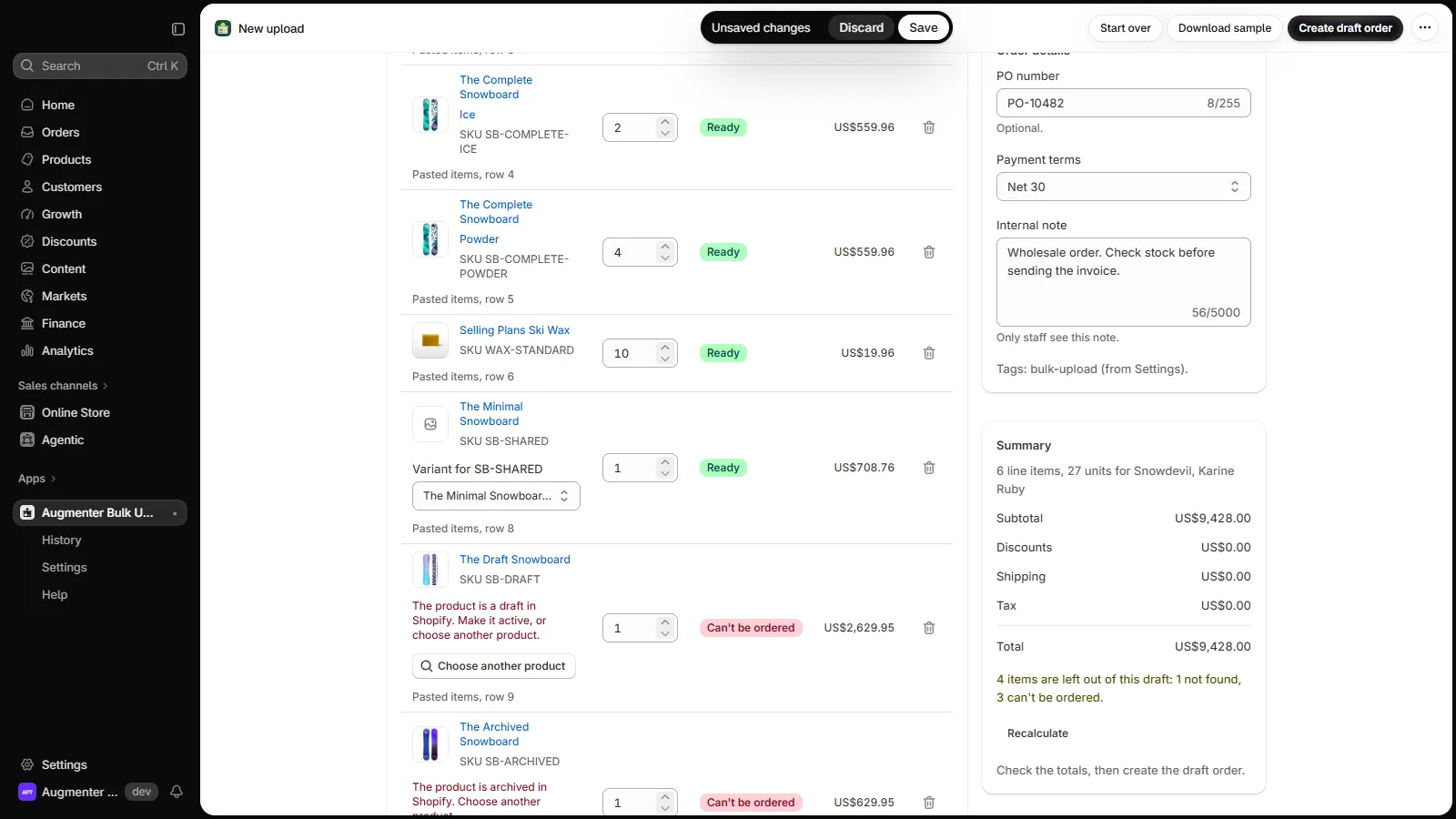
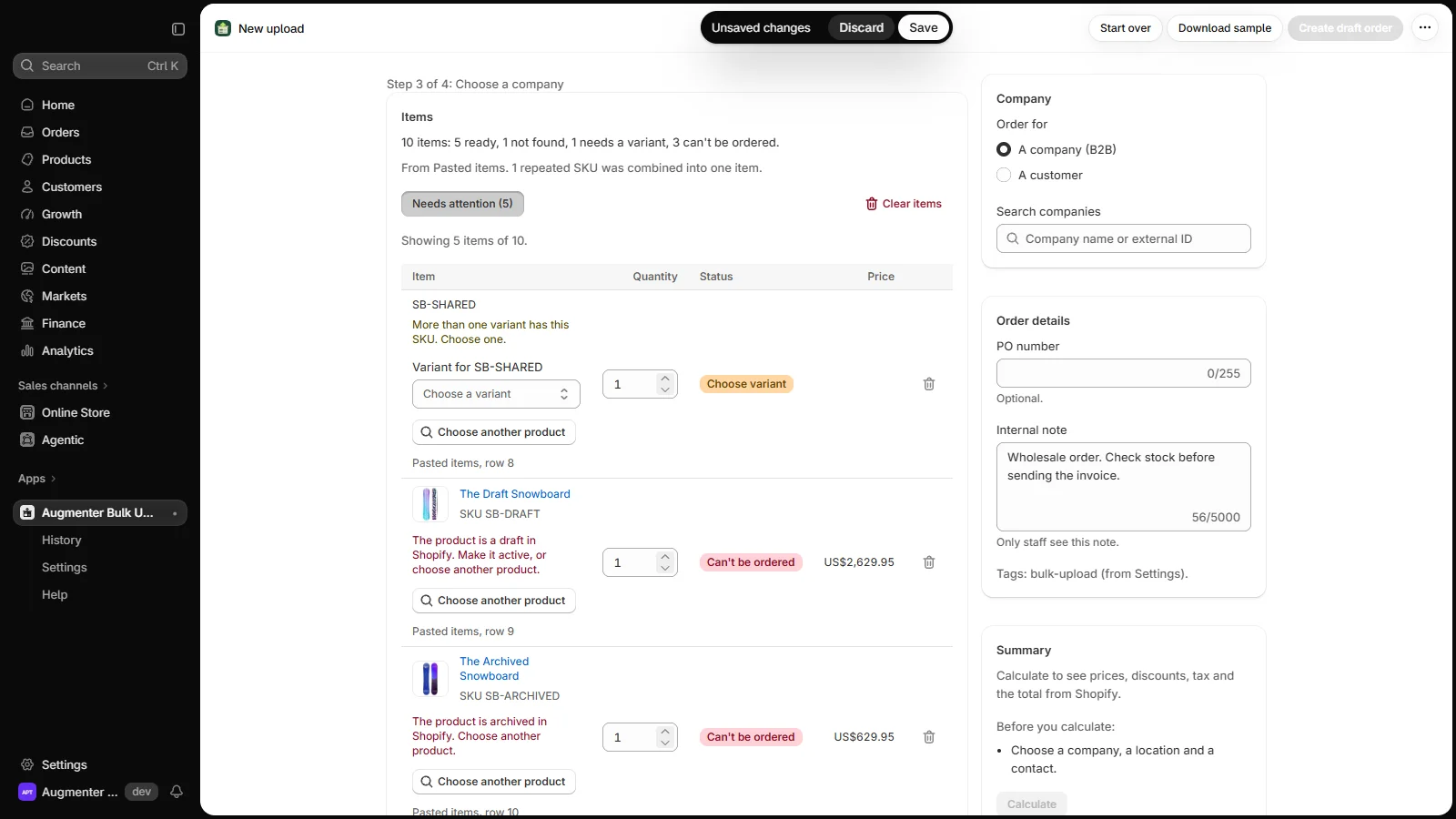
Each SKU is matched to a variant. Anything missing, duplicated, draft, archived or unavailable is listed first, so you can fix it or leave it out.
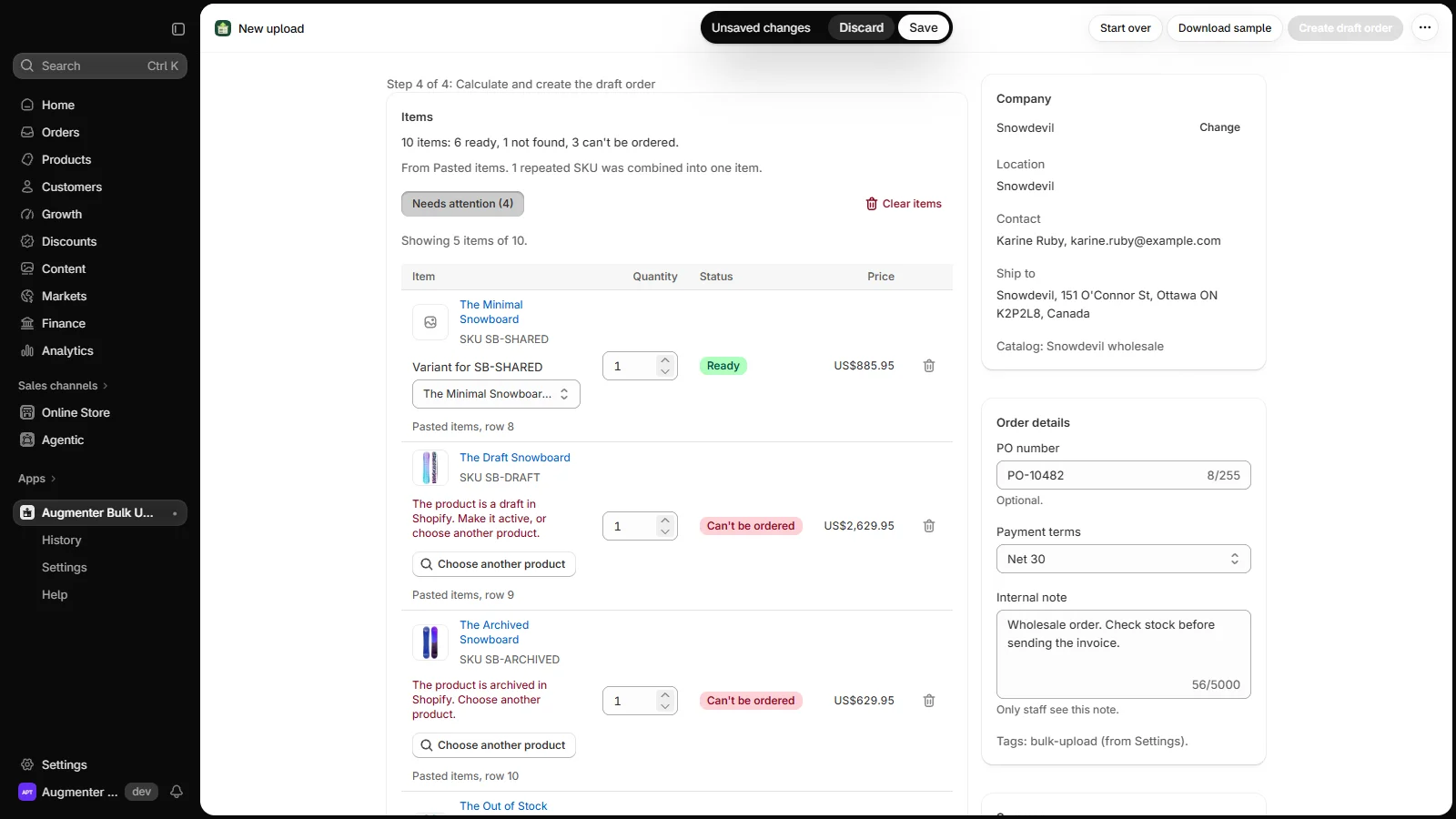
Choose a B2B company, location and contact, or a customer. Shopify calculates prices, tax and totals, then the app creates the draft order.
The app only creates the draft. It never sends invoices, takes payment or reserves stock. You finish the order in Shopify when you are ready.
What the app does, from file to draft order.
Add items from CSV or Excel (.xlsx) files, or paste SKUs and quantities.
Match each SKU to a variant, with warnings for missing or unavailable items.
Create draft orders for a B2B company location and contact, or a customer.
Set payment terms for each B2B draft and see the location's catalogs.
Preview B2B prices, tax and totals, calculated by Shopify, before creating.
See drafts created through the app, with item counts, staff member and time.
Taken from the app on a test store with Shopify's sample data. Select a screenshot to see it full size.
 (opens full size)
 (opens full size)
 (opens full size)
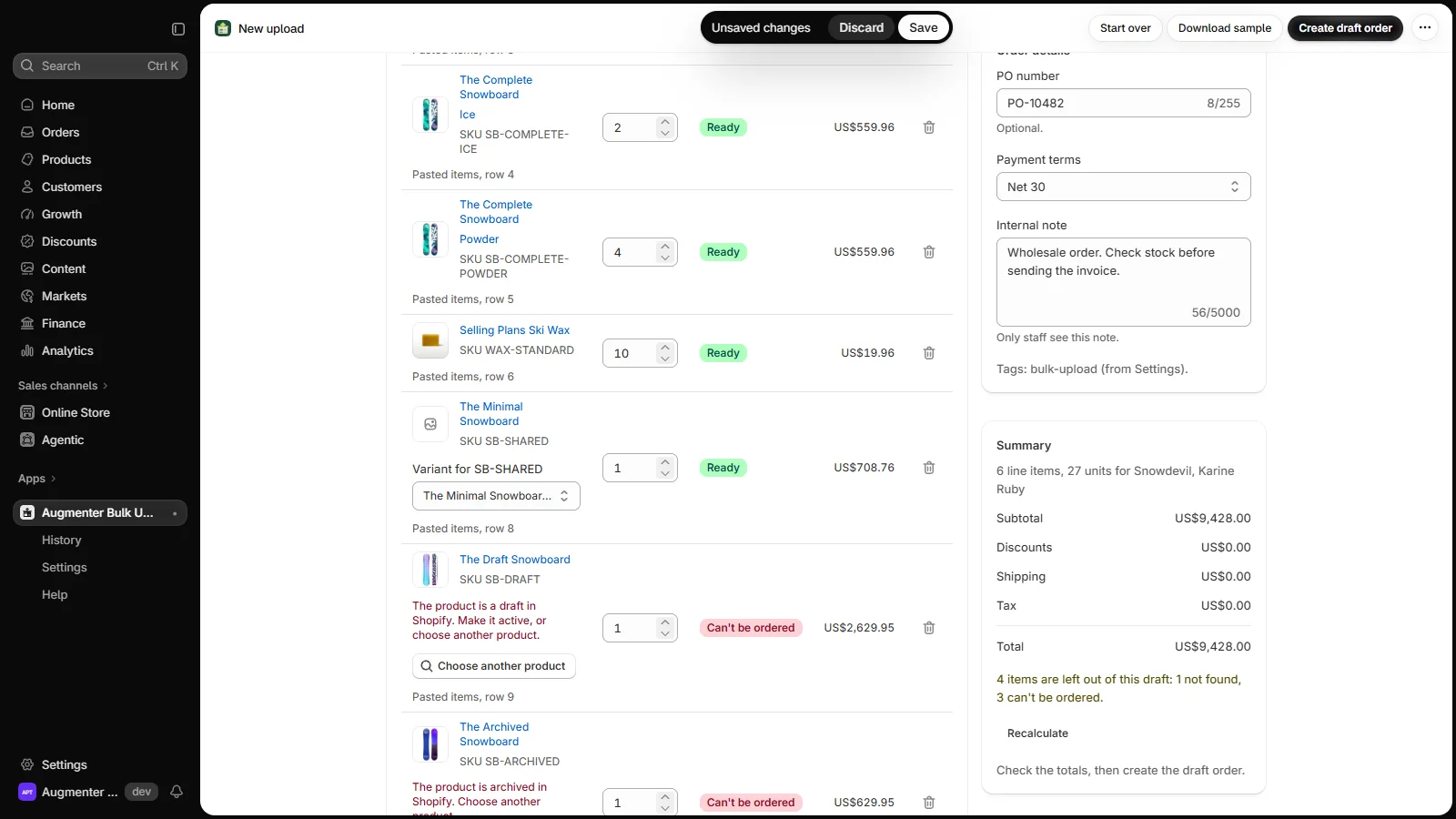 (opens full size)
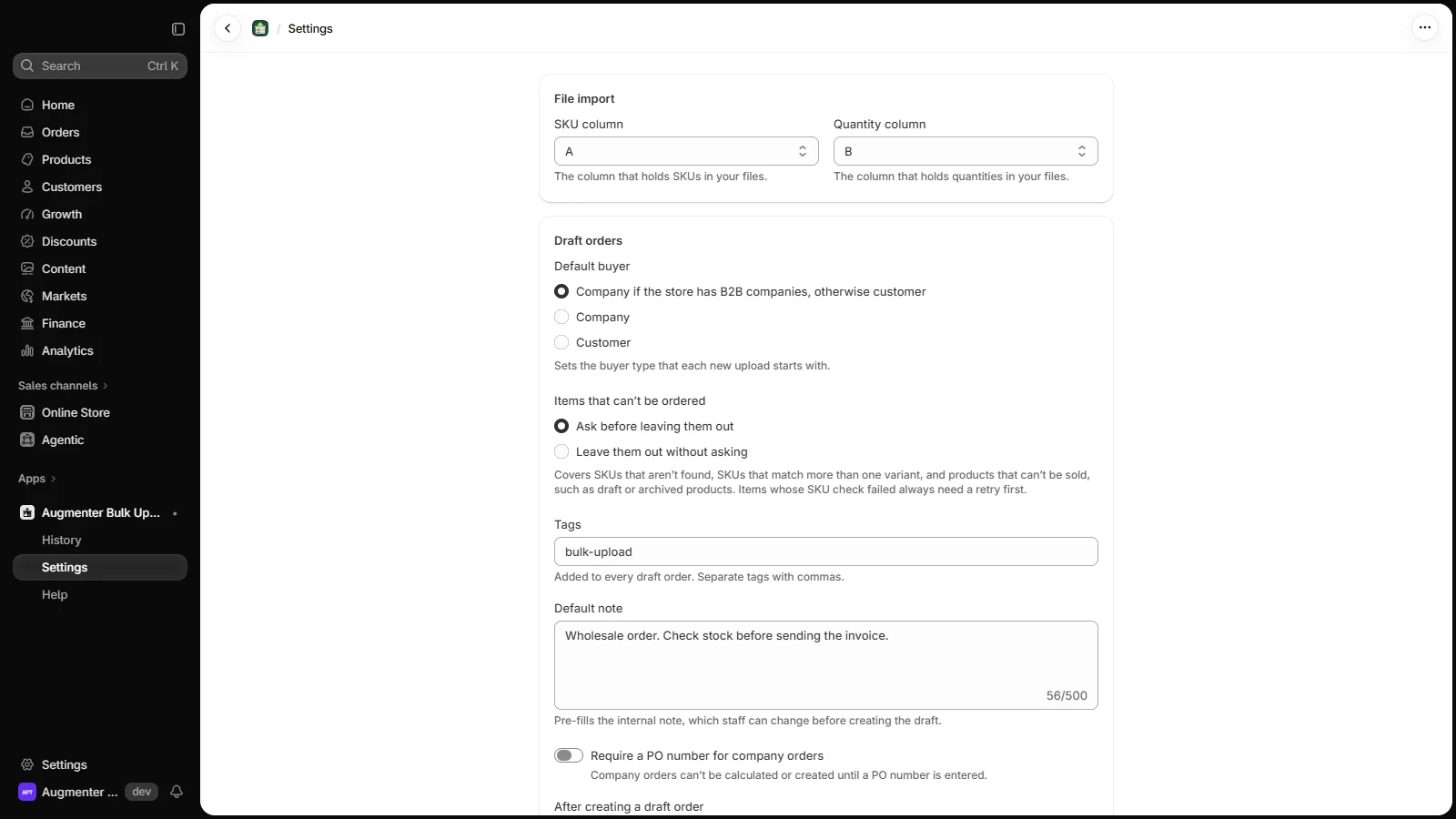 (opens full size)
Start free. Upgrade when you need more drafts or Pro features.
$0
Up to 10 draft orders a month
$19 a month
Unlimited draft orders
Everything in Free, plus:
Prices in USD. Billed by Shopify on your Shopify invoice.
No. It only creates a draft order. It does not send an invoice, complete the order, take payment or reserve stock. You can do those from the draft order in Shopify admin when you are ready.
Only for company orders. Creating a draft for a B2B company, location and contact needs Shopify's B2B features. Drafts for a regular customer work without them.
CSV (UTF-8) and Excel .xlsx files, not .xls. By default the SKU is in column A and the quantity in column B, and you can choose other columns. A header row is optional.
Each file can be up to 5 MB and 10,000 rows. A draft order can have up to 499 product lines.
No. Files are read in your browser. Only the SKUs, quantities, row numbers and file name are sent to the app, to match products and create the draft.
The app lists it first, along with anything else to fix: a SKU used by more than one variant, or a draft, archived or unavailable product. You can choose the right variant, find another product, or leave the line out.
Shopify calculates the prices, tax and totals. For B2B orders that includes the prices from the company location's catalogs. You see the totals before the draft is created.
No. It reads your products to match SKUs and creates draft orders. It does not edit products or reserve inventory.
The app deletes its login sessions for your store when you uninstall. About 48 hours later, Shopify tells the app to delete its remaining records for your store, including History. Draft orders you created stay in your Shopify store.
Help is by email, from the developer who built the app.
Step-by-step help, file formats, limits and answers to common questions.
Include your store's .myshopify.com address, what you were doing and any error message.
How the app handles your store's data, and what happens when you uninstall.